Back to School Kawaii Circle Bubble Design Pack
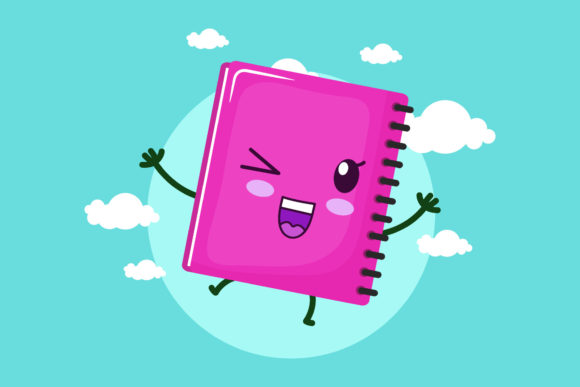
There is something special about the start of a new school year. It carries a sense of fresh beginnings, new supplies, and a touch of anticipation. Designers, educators, small business owners, and creators often look for visuals that capture that feeling without being too serious or corporate. That is exactly where the Back to School Kawaii Circle Bubble design pack comes into the picture. It combines the cheerful spirit of kawaii culture with practical, school-related themes, all wrapped in a clean circular composition.
The pack includes six digital files, each sized at 1920 by 1280 pixels, giving you a generous canvas for both print and screen projects. You receive the design in AI, EPS, SVG, DXF, JPG, and PNG formats. Whether you are a seasoned professional or just starting your creative journey, having this range of file types means you can work with whatever software or machine you prefer. The design itself is easy to edit and integrate into your own projects, which is a huge time saver.
What Makes This Design Useful for Everyday Creators
Kawaii style is known for its cute, playful, and friendly aesthetic. When applied to a back-to-school theme, it transforms ordinary classroom imagery into something warm and inviting. The circle bubble layout acts as a focal point, making the design perfect for badges, stickers, labels, and social media graphics. Instead of hunting for multiple elements and arranging them yourself, you get a complete, balanced composition ready to drop into your work.
For a teacher preparing classroom decorations, this design can become a door sign, a name tag template, or a cheerful poster. For a parent organizing a school supply sale or a small shop selling custom notebooks, the kawaii circle bubble adds personality that stands out. The design speaks to both children and adults who appreciate a lighthearted touch. It is not overly childish, so it works well for teens and young adults too.
Breaking Down the File Formats and Their Practical Uses
Understanding what each file format does helps you use the design more effectively. Here is a quick look at each one included in the pack:
- AI File – Adobe Illustrator file. Ideal for vector editing, scaling without losing quality, and adjusting colors or elements. Best for professional designers working in Adobe software.
- EPS File – Encapsulated PostScript. A versatile vector format that opens in many design programs, including older versions of Illustrator, CorelDRAW, and Affinity Designer.
- SVG File – Scalable Vector Graphic. Perfect for web use, cutting machines like Cricut or Silhouette, and responsive design. It maintains crisp edges at any size.
- DXF File – Drawing Exchange Format. Commonly used with laser cutters, CNC machines, and some cutting plotters. Great for physical fabrication projects.
- JPG File – Standard raster image. Ready to print or share immediately. Suitable for digital previews, email attachments, and general use where a vector is not needed.
- PNG File – Portable Network Graphic with transparency. Excellent for overlaying on other images, creating stickers, or using in presentations where you want a clean background.
Having all six formats means you never have to worry about converting files or losing quality. You pick the right one for your task and move forward without extra steps.
Who Benefits Most from This Design Pack
The Back to School Kawaii Circle Bubble design appeals to a wide audience because it bridges the gap between cute and functional. Here are some specific groups who find real value in it:
Teachers and Educators
Setting up a classroom involves countless little details. Bulletin boards, labels, welcome signs, and reward charts all benefit from a consistent, cheerful theme. Using this design saves hours of creating graphics from scratch. You can print the JPG or PNG directly, or open the AI or EPS files to customize text with your students names or class number.
Small Business Owners and Entrepreneurs
If you sell stationery, planner stickers, or handmade school supplies, having a ready-to-use design accelerates your product creation. The kawaii circle bubble works beautifully on sticker sheets, washi tape labels, and packaging inserts. Because the canvas is 1920 by 1280 pixels, you have enough resolution for both small stickers and larger display prints.
Freelance Designers and Content Creators
Client projects with tight deadlines demand efficient resources. This design pack serves as a base that you can modify, combine with other elements, or use as inspiration. The vector formats let you recolor, resize, and rearrange components freely. Bloggers and social media managers can use the PNG version for blog headers, Pinterest pins, or Instagram posts celebrating the back-to-school season.
Hobbyists and DIY Enthusiasts
Crafting with cutting machines, laser engravers, or print-and-cut methods is more enjoyable when you start with a polished design. The DXF and SVG files are especially helpful for Cricut or Silhouette users who want to create custom tote bags, pencil cases, or classroom favors. The kawaii style adds a smile to every project.
Practical Ways to Use the Design in Real Projects
Having the files is one thing, but seeing how they fit into actual workflows makes the value clearer. Here are realistic scenarios where this design shines:
- Classroom Door Sign – Print the JPG at full size, mount it on cardstock, and add a welcoming message. The circular bubble draws the eye and sets a positive tone.
- Sticker Sheets for Planners – Import the SVG into your sticker design software, duplicate it at different scales, and arrange it on a sheet for cutting. The cute theme works for weekly spreads and school event planning.
- Custom Pencil Case – Use the DXF file with a laser engraver to etch the design onto a wooden or acrylic pencil case. It becomes a unique gift or personal item.
- Social Media Post – Place the PNG over a soft pastel background, add a quote about learning or growth, and schedule it for the first day of school.
- Product Label for Small Batch Items – Edit the EPS file in Illustrator to include your shop name and product details. Print on adhesive paper and apply to packaging.
- Bulletin Board Border Accent – Print multiple copies of the design at a smaller scale and cut them out to create a border or corner decoration.
Each use case takes advantage of the file formats and the canvas size. You are not limited to digital or print alone; the design moves easily between both worlds.
Things to Consider Before Using the Design Pack
While the pack is straightforward to use, a few practical points help you get the best results. First, check the software you plan to use. AI and EPS files work with vector editing programs like Adobe Illustrator, CorelDRAW, or Affinity Designer. SVG files open in most modern browsers, Inkscape, and cutting machine software. DXF files require a compatible program for laser or CNC workflows. JPG and PNG are universal and need no special setup.
Second, the canvas size of 1920 by 1280 pixels gives a 3:2 aspect ratio. If your project requires a square or different proportion, you may need to crop or add a background. The vector formats make resizing easy without distortion. For raster formats like JPG and PNG, consider your intended print size. At 300 DPI, this canvas yields roughly a 6.4 by 4.3 inch print, which is suitable for labels, stickers, and small signs. For larger prints, scaling up from the vector files is recommended.
Third, the design is editable, which means you can change colors, add text, or combine it with other graphics. However, if you are new to vector editing, stick with the JPG or PNG for immediate use. As your confidence grows, explore the AI or SVG files to personalize the design further. The pack is designed to accommodate beginners and professionals alike, so there is no pressure to use every format at once.
Finally, think about your audience. The kawaii circle bubble appeals to people who enjoy cute, approachable visuals. If your project targets a very formal or minimalist audience, you might use the design as a small accent rather than the main element. For children, teens, teachers, and anyone who appreciates whimsy, it fits naturally.
Why This Design Pack Saves Time and Reduces Stress
Starting a design from scratch requires sketching, composing, balancing colors, and testing layouts. With this pack, the heavy lifting is done. The circular bubble arrangement is already harmonious, and the kawaii elements are carefully placed. You skip the iterative phase and move directly to production or customization. For anyone juggling multiple projects, this efficiency is a genuine relief.
Additionally, receiving six formats removes the guesswork of file compatibility. You never have to search for a converter or worry about losing vector properties. The design is ready for whatever tool you have open. This kind of thoughtful packaging respects your time and skill level.
The thank you note included in the product description reflects a creator who values your experience. It is a small gesture that reinforces the helpful nature of the resource. When a design pack is put together with care, it shows in the details, from the canvas size to the format selection.
Final Thoughts on the Back to School Kawaii Circle Bubble Design
Whether you are preparing a classroom, launching a small product line, or simply enjoying a creative hobby, this design pack offers a solid foundation. The kawaii circle bubble captures the excitement of a new school year with a friendly, approachable look. With six file formats and a generous canvas, you have the flexibility to print, cut, edit, and share without limitations. It is one of those resources that makes you wonder why you did not have it sooner.
Take a moment to consider your upcoming projects. If any of them involve back-to-school themes, cute visuals, or the need for a polished circular design, this pack fits naturally into your workflow. And if you are new to digital design, the included JPG and PNG files let you jump right in with zero learning curve. The other formats are there whenever you are ready to explore more advanced customization.
The start of a school year should feel hopeful and light. With the right design tools, you can share that feeling with everyone who sees your work.