Back to School Shirt Design: Avoiding Common Mistakes with Handwritten Typography and Vector Files
Every year, as summer winds down, a familiar scramble begins. Parents, teachers, small business owners, and even hobbyists start looking for fresh Back to School Shirt Design ideas. Maybe you are a freelancer trying to offer something new to clients, a crafter preparing for a pop-up market, or a parent who wants to make custom shirts for your own kids. The appeal is obvious: a well-designed shirt can capture the excitement of a new school year, show off a bit of personality, and even become a small tradition.
But here is the thing that many people only realize after they have already spent time and money: not all Back to School Shirt Design resources are created equal. A poorly chosen file or a misunderstood format can lead to frustration, wasted materials, and results that fall flat. Whether you are buying a bundle of vector files or creating a handwritten typography T-shirt design from scratch, the difference between a smooth project and a messy one often comes down to a few overlooked details.
Why Vector Files Matter More Than You Think
If you have ever tried to enlarge a small image and watched it turn into a blurry mess, you already know the pain of raster graphics. That is why professional Back to School Shirt Design almost always relies on vector files. Formats like AI, EPS, and SVG are resolution-independent. You can scale them up for a large poster or shrink them down for a mug without losing any crispness.
But here is where many people get tripped up. They download a zip file containing AI and EPS files, assuming they can just open them and start printing. The reality is more nuanced. While these formats are powerful, they require the right software. Adobe Illustrator is the standard, but it is not free. If you do not have access to it, an EPS file might still open in other programs like CorelDRAW, Inkscape, or even Affinity Designer. The mistake is downloading a set of files without first checking whether your workflow actually supports them.
Another common oversight is ignoring the layer structure inside the file. A well-organized AI file will have clearly named layers for different elements, making it easy to change colors, swap out text, or adjust placement. A messy file, on the other hand, can turn a five-minute edit into a half-hour headache. Before you buy a bundle of Back to School Shirt Design templates, look for a preview of the layer panel or ask the seller about organization.
The Handwritten Typography Trap
Handwritten typography has become a staple of Back to School T-shirt design. It feels personal, warm, and approachable. Words like "Future CEO," "Ready to Learn," or "Class of 2037" look great when they have that hand-lettered charm. But there is a subtle problem that even experienced designers sometimes miss.
Many handwritten fonts and vector lettering sets are not actually suitable for screen printing or direct-to-garment printing without modification. Thin strokes, tight loops, and delicate flourishes can disappear when printed on fabric, especially on darker shirts or textured materials. A phrase that looks beautiful on your computer screen might become illegible after it is pressed onto a cotton tee.
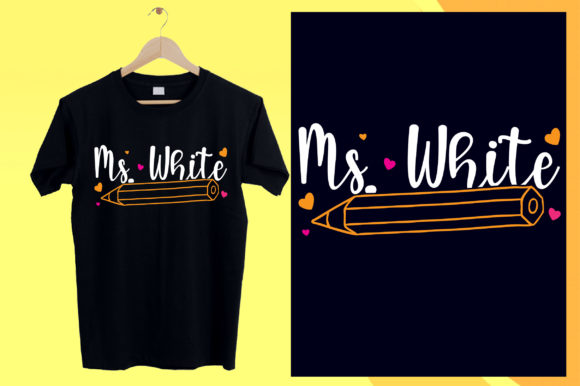
This is not a reason to avoid handwritten typography. It is a reason to test before you commit. Print a sample on paper at full size and hold it at arm's length. Can you read every word easily? If not, you need to adjust stroke width, simplify the letterforms, or choose a different style. The same caution applies when you are using a pre-made Back to School Handwritten Typography T-Shirt Design file. Just because it looks polished in the listing does not mean it will perform well on a shirt.
Overlooking the Printing Method
Not all printing methods play nicely with all designs. This is one of the most frequent mistakes I see among people who are new to making custom shirts. They find a fantastic Back to School Shirt Design, download the files, and then wonder why the final product looks washed out or distorted.
If you are using screen printing, you need to think about color separation. A design that relies on gradients or subtle color blends may require multiple screens, which drives up cost and complexity. For small runs or single shirts, direct-to-garment printing is usually simpler, but it has its own limitations. White ink on dark fabric can sometimes look chalky or stiff if the design is too dense.
The best approach is to choose a design that matches your chosen printing method from the start. If you are buying a bundle of Back to School Shirt Design vector files, look for designs that include both full-color and one-color versions. Many good bundles offer variations specifically for screen printing. If you are creating a handwritten typography T-shirt design, keep the color palette simple. One or two colors is almost always more practical than trying to reproduce a full-color illustration.
Ignoring the Zip File Workflow
This might sound too basic to mention, but I have seen otherwise capable adults get stuck at the very first step. You download a zip file containing PNG, AI, and EPS files. You are told to extract them using WinZIP, WinRAR, or simply by double-clicking and extracting. But sometimes the extraction does not go as expected. Files end up in the wrong folder, or the zip file appears empty, or the extracted files do not open properly.
Here is what usually goes wrong. First, make sure the download fully completes before you try to extract. A partial download can corrupt the archive. Second, use a reliable extraction tool. Windows and Mac both have built-in zip extraction, but if you encounter errors, try 7-Zip or The Unarchiver. Third, check that you are extracting all files, not just the ones you think you need. The PNG file might be a preview, while the actual editable design is in the AI or EPS file. If you grab only the PNG and try to resize it, you lose the whole advantage of having a vector file.
A practical habit: create a dedicated folder for each project, extract everything there, and then rename files so you can tell at a glance which is the print-ready version and which is the editable source. This small step saves time and prevents confusion later.
Color Customization Pitfalls
One of the biggest selling points of vector files is that they are easy to modify and change color. You can take a single Back to School Handwritten Typography T-Shirt Design and produce fifty different color variations in minutes. But there is a right way and a wrong way to do this.
The wrong way is to use the fill color in a program that does not support CMYK or Pantone matching. You pick a color that looks great on screen, print it, and the result is completely different. This happens because monitors use RGB, which has a wider color gamut than most printing processes. A bright neon green on your screen might come out as a dull olive on fabric.
The better way is to work in CMYK from the beginning. If you are using Adobe Illustrator, set your document color mode to CMYK before you start editing. If you are buying pre-made designs, check whether the files are provided in both RGB and CMYK versions. Some sellers include both, and that is a sign of a thoughtful product. When you change colors, use a Pantone swatch book if possible, or at least test print a small sample before committing to a full run.
Another detail that people overlook: changing the color of a handwritten typography design can affect the legibility of thin strokes. A light blue might look airy and fun on screen, but on a white shirt it could be nearly invisible. Contrast is your friend. Dark text on light fabric, or light text on dark fabric, with enough stroke weight to hold up at a distance.
Licensing and Usage Rights
This is an area where enthusiasm can lead to trouble. You find a great Back to School Shirt Design bundle. It offers PNG, AI, and EPS files. Everything is compressed in one convenient zip. You download it and start making shirts to sell at your local craft fair. A few weeks later, you get a message from the designer asking you to stop because your license only covers personal use.
Licensing is not the most exciting part of design, but it is essential. Most commercial bundles clearly state whether you can use the designs for products you sell. Some allow unlimited commercial use. Others restrict you to a certain number of sales or require a separate extended license. Before you buy, read the terms. If the listing is vague, ask the seller directly. A legitimate designer will be happy to clarify.
If you are a small business owner or freelancer, keep a folder with your license files and receipts. That way, if anyone questions your right to use a design, you have proof. This is not about being paranoid. It is about protecting the work you put into creating and selling your products.
Practical Advice for Better Results
Let me leave you with a few straightforward suggestions that can improve your experience with Back to School Shirt Design, whether you are a beginner or a seasoned creator.
First, test everything before you commit to a large batch. Print one shirt, make one mug, apply one transfer to a bag. See how the color looks, how the texture feels, and whether the design holds up after washing. This one step saves more frustration than anything else.
Second, build a small library of reliable resources. When you find a designer or a shop that provides clean, well-organized vector files, stick with them. Consistent quality makes your workflow faster and your results more predictable.
Third, pay attention to the details in your handwritten typography. Adjust letter spacing, watch for awkward overlaps, and make sure the overall composition fits the shirt size. A design that looks perfect on a flat mockup might need tweaking once it is placed on a curved garment.
Fourth, remember that the file format you choose affects everything downstream. If you want maximum flexibility, AI and EPS are your best friends. If you need a quick preview or a web-ready image, PNG is fine. But for printing, go with vector whenever possible. The sharpness and scalability are worth the small extra effort.
Finally, enjoy the process. Back to School Shirt Design is a wonderful way to mark a new season, celebrate learning, and express creativity. With the right files, a little planning, and attention to the practical details, you can create something that people will actually want to wear. Avoid the common mistakes, and you will save yourself time, money, and disappointment. That is a good start to any school year.